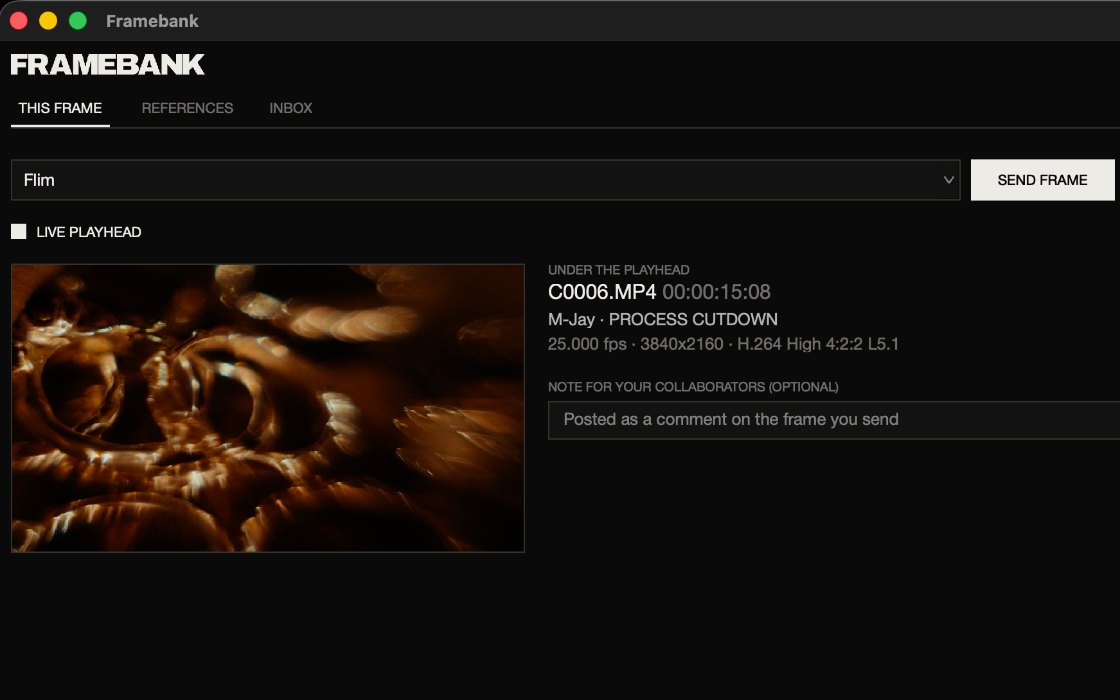
DaVinci Resolve
Grab stills with their settings
The frame under the playhead, or a whole gallery album, with its clip, timecode and camera settings. Works in the free version.
Framebank keeps the references for your film or photo shoot in one place: frames from your edit, your own photos, and anything you save along the way. Every image is sorted by shot size, colour and light, with its camera settings, ready to share with your crew.
Built by Louie Warren, a cinematographer. I made it to plan my own shoots.
How it works
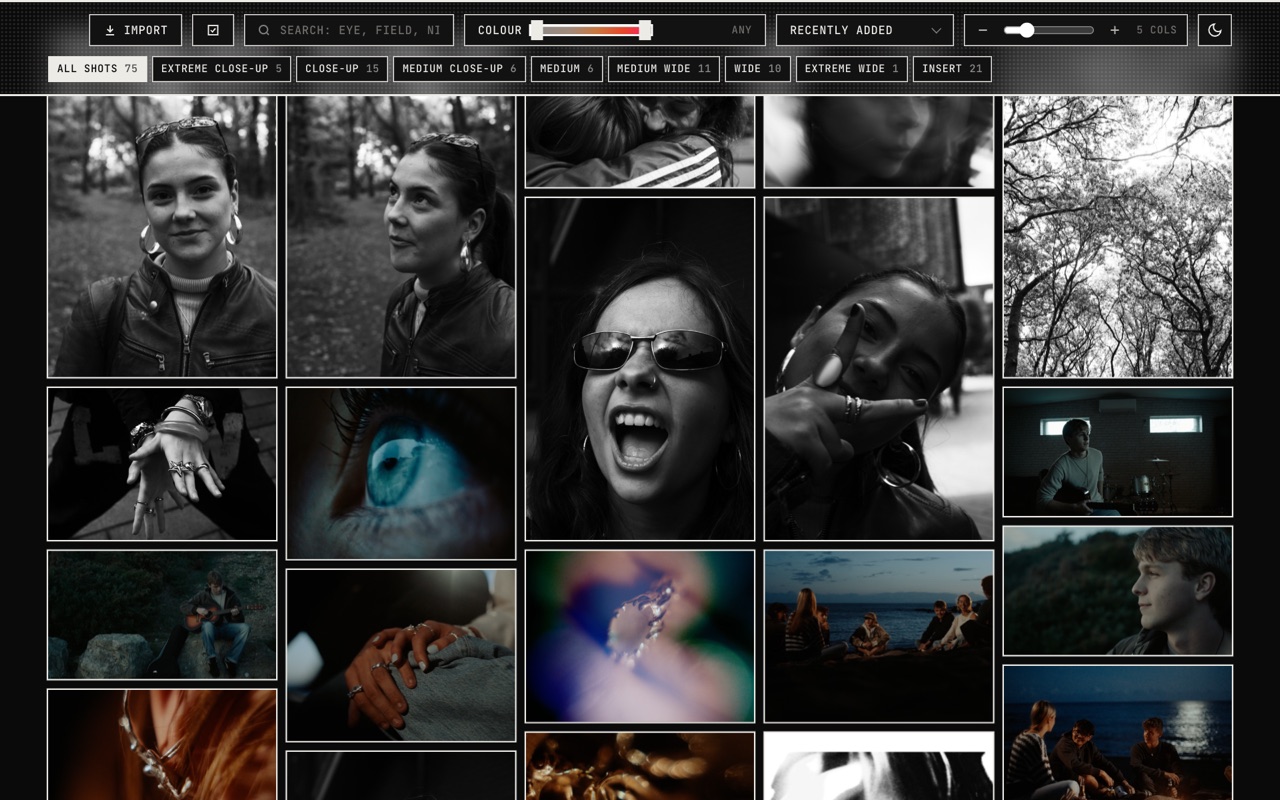
Find
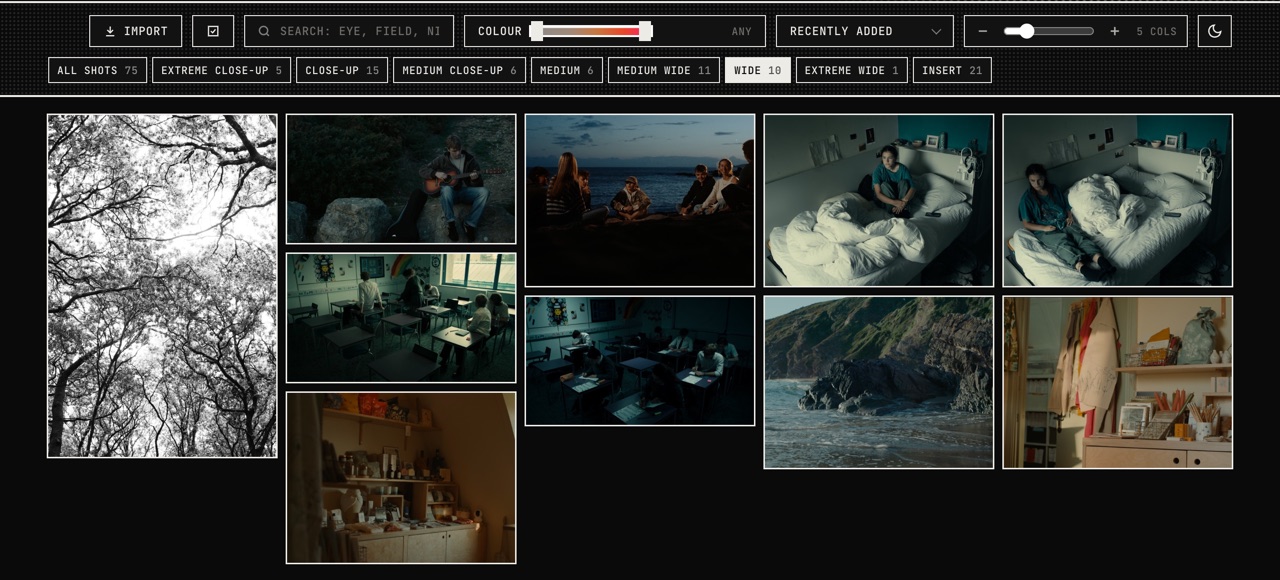
Each image gets its shot size, from extreme close-up to extreme wide, and tags for what's in the frame. Filter by shot, slide from black and white to vivid, sort by colour or brightness, or just search.
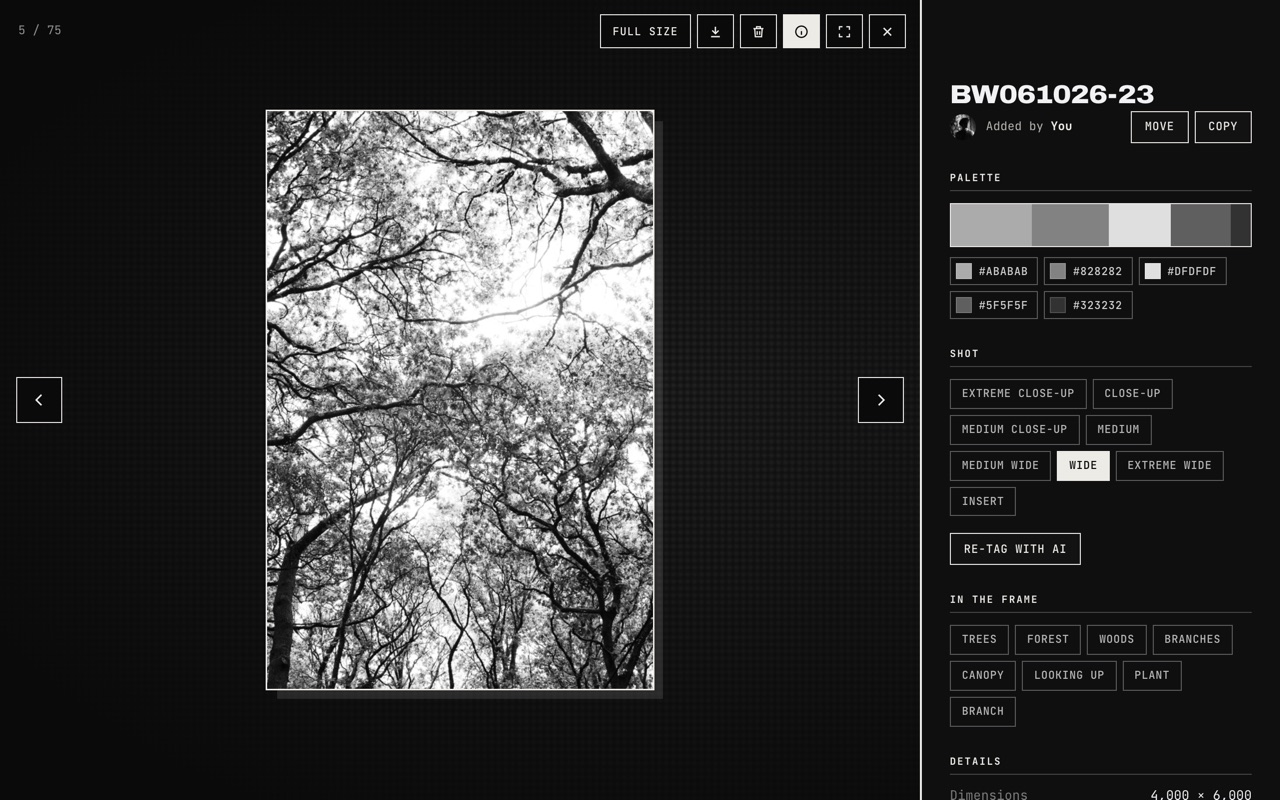
Every detail kept
Open any image for its colour palette, shot type and tags, plus the camera, lens, aperture, shutter and ISO. Where a photo was taken is never stored.
Plan
Turn your references into a plan. Each shot is a column with its frame, shot size, lens, location and cast. Drag shots onto shoot days and Framebank works out the times, the travel between locations and when you wrap. On Pro and Student.
Gather
Framebank sits inside the tools you already use. Each frame keeps where it came from: its clip and timecode, or a link back to the page.
The frame under the playhead, or a whole gallery album, with its clip, timecode and camera settings. Works in the free version.
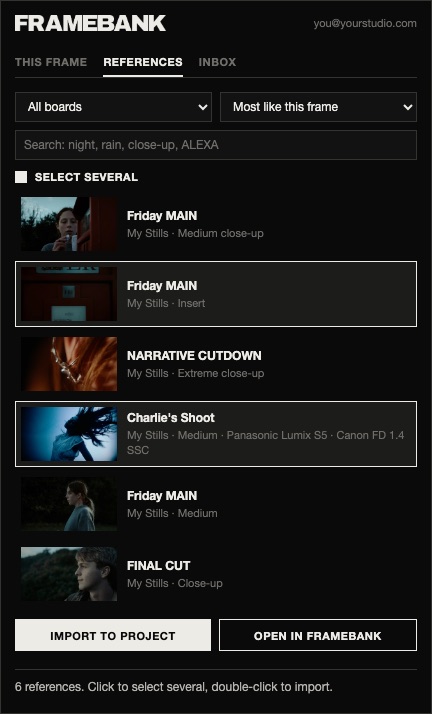
With its sequence, clip and timecode. Browse references that look like your shot and import them into a bin.
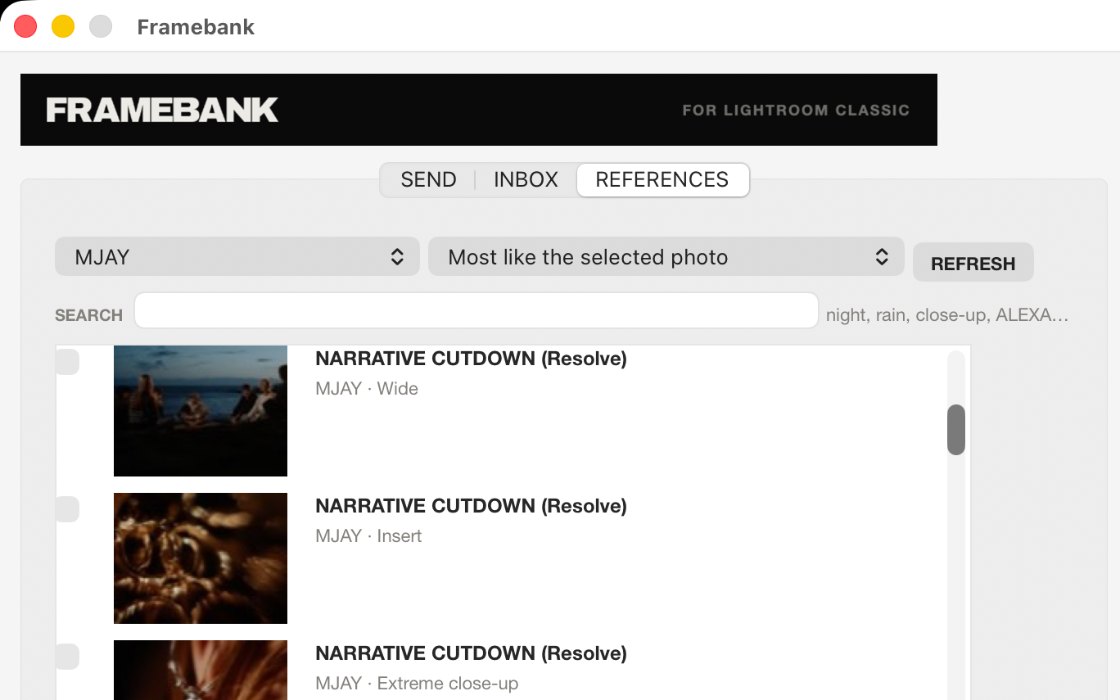
Each collection becomes a board, with camera, lens and capture date, and shot types come back as keywords.
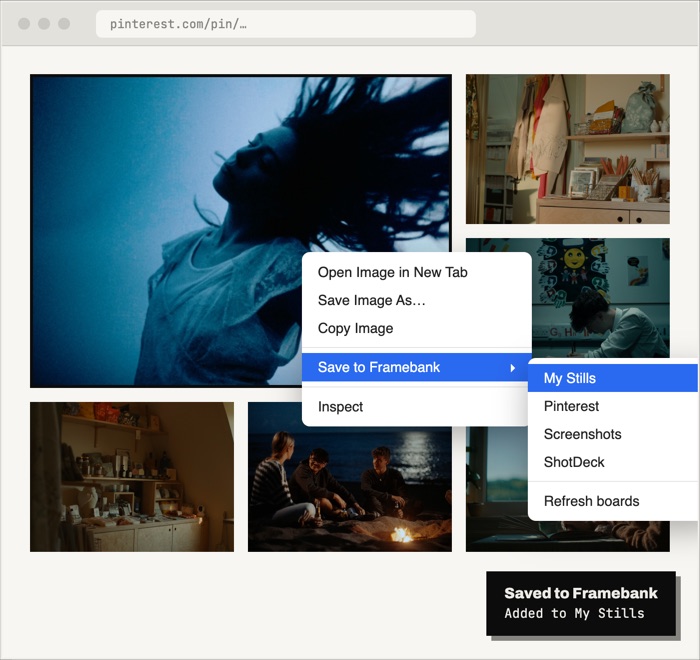
Save any image on the web with a link back to where you found it. Bring your Pinterest boards over in one click.
All of them come free with every account.
Yours
Questions
A collection of stills, frames and photos that shows the look of a project before you shoot it: framing, light, colour, lenses and movement. Directors, cinematographers, photographers, gaffers, production designers and colourists use one to agree on a look, then keep it to hand on set and in the grade.
Framebank is made for film. Every image is labelled with its shot size and what's in the frame, its colour palette is read and its camera settings are kept, so you can filter a board to wide night exteriors or sort it by colour instead of scrolling.
Yes. Premiere Pro, DaVinci Resolve and Lightroom Classic send frames and photos straight to a board with their camera settings. The Chrome extension saves any image on the web with a link back to where you found it, and brings your Pinterest boards over in one click.
Yes, on Pro and Student. Build a storyboard shot by shot from your references, with each shot's size, lens, location and cast, then drag shots onto shoot days. Framebank works out start times, travel between locations and when you wrap, and exports the shot list or schedule as a spreadsheet.
Invite anyone to view or add to a board. They don't need to pay. Comment on any frame and see what's new on the boards you share.
Free has room for 150 images and every app. Pro is £8 a month, and Student is £4.
Louie Warren, a cinematographer in the UK. He built it to plan his own shoots, and still runs it himself.
No. Your images stay yours. AI labels look at a small preview, and Anthropic doesn't train on it.
Free for up to 150 images, with every app. Pro is £8 a month. See pricing